
WHO Percentile Charts
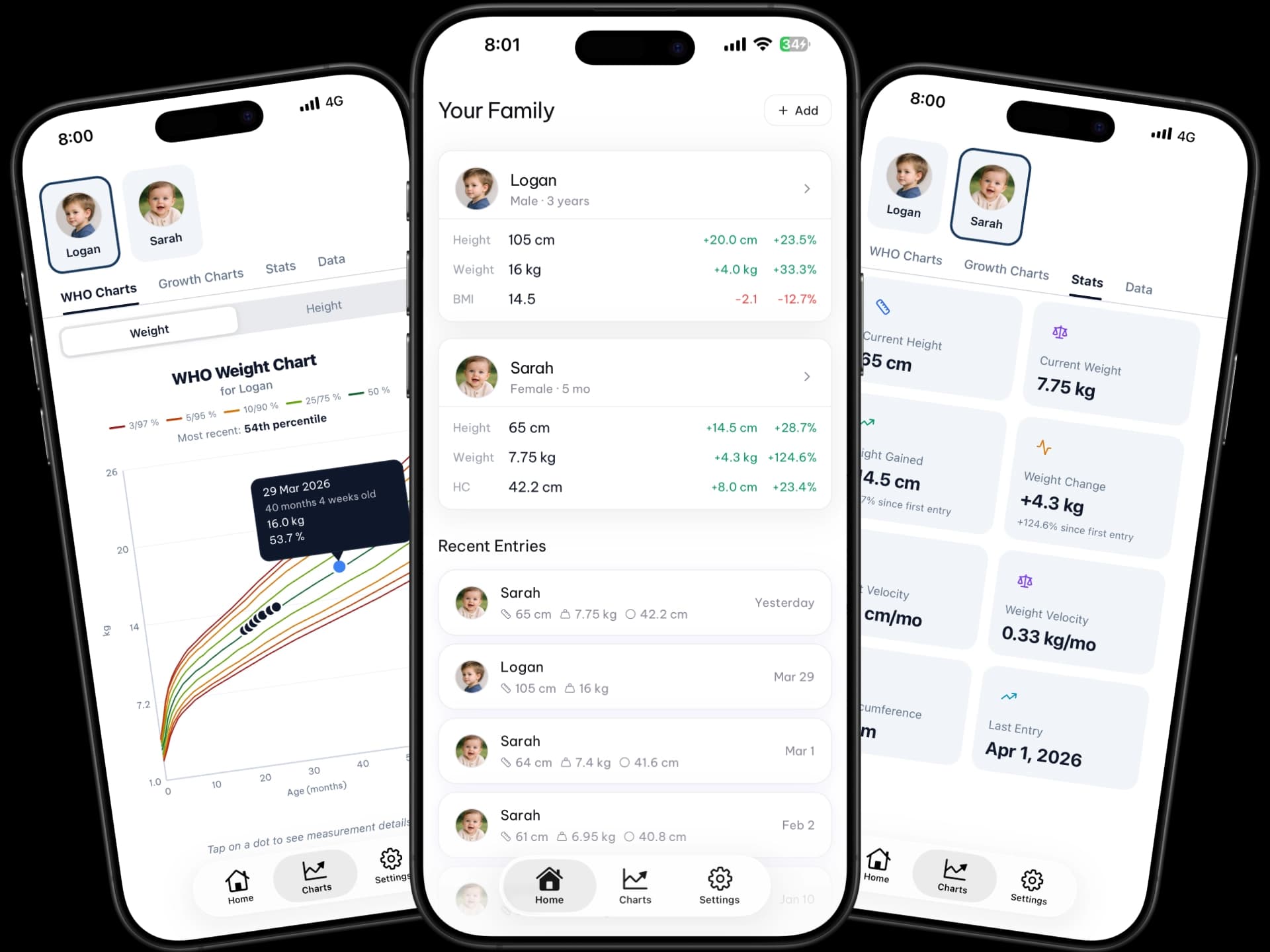
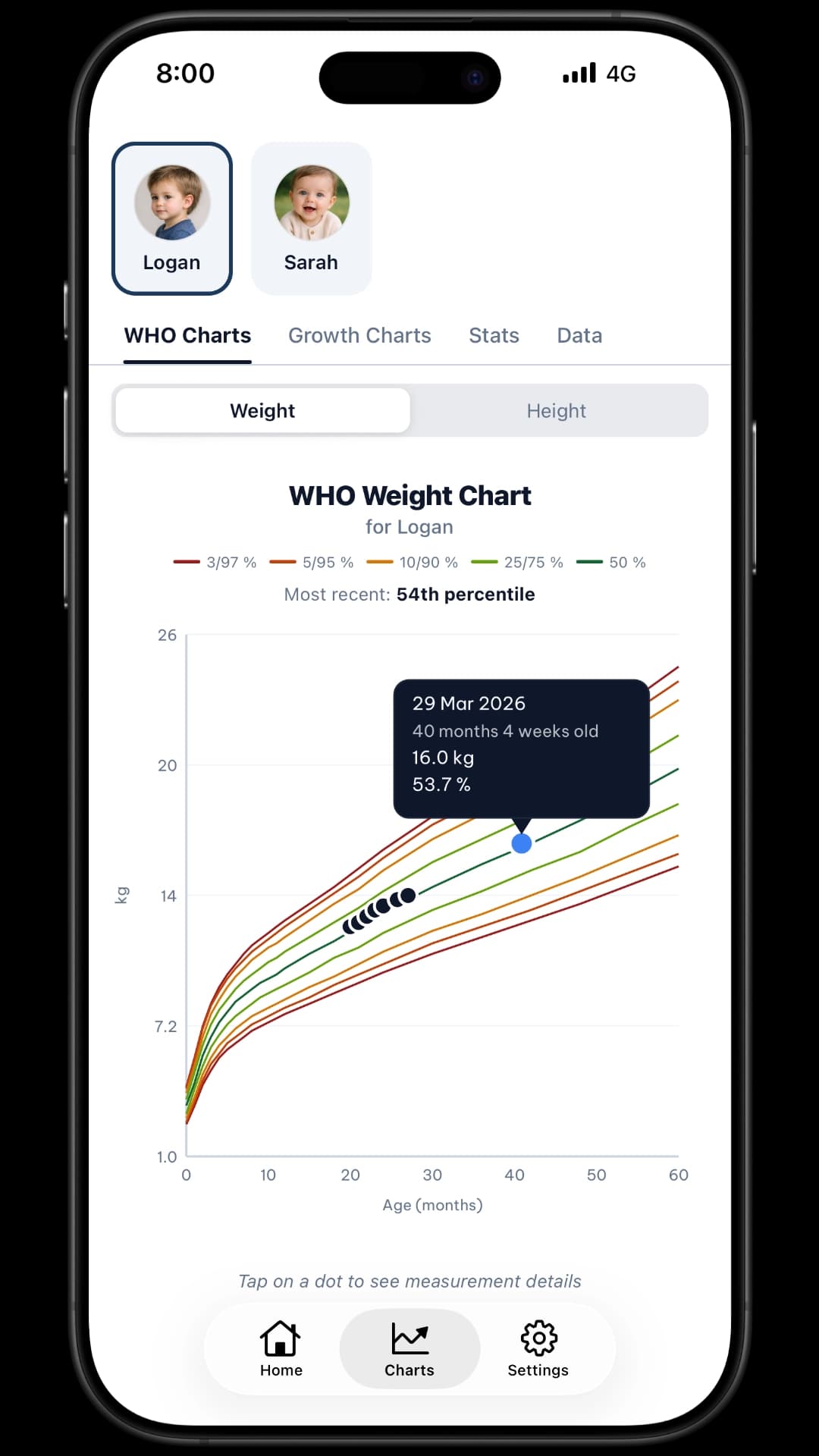
Tap any data point to see the exact date, measurement, and percentile. P3–P97 bands. Sex-appropriate curves. The same charts your pediatrician uses.
WHO-standard growth charts, precise percentile calculations, and doctor-ready PDF reports — all in your pocket. Your whole family, one app.


Features
Built on the same WHO/CDC standards your pediatrician uses — so what GrowthKit shows you is exactly what the doctor's software shows.
Tap any data point to see the exact date, measurement, and percentile. P3–P97 bands. Sex-appropriate curves. The same charts your pediatrician uses.
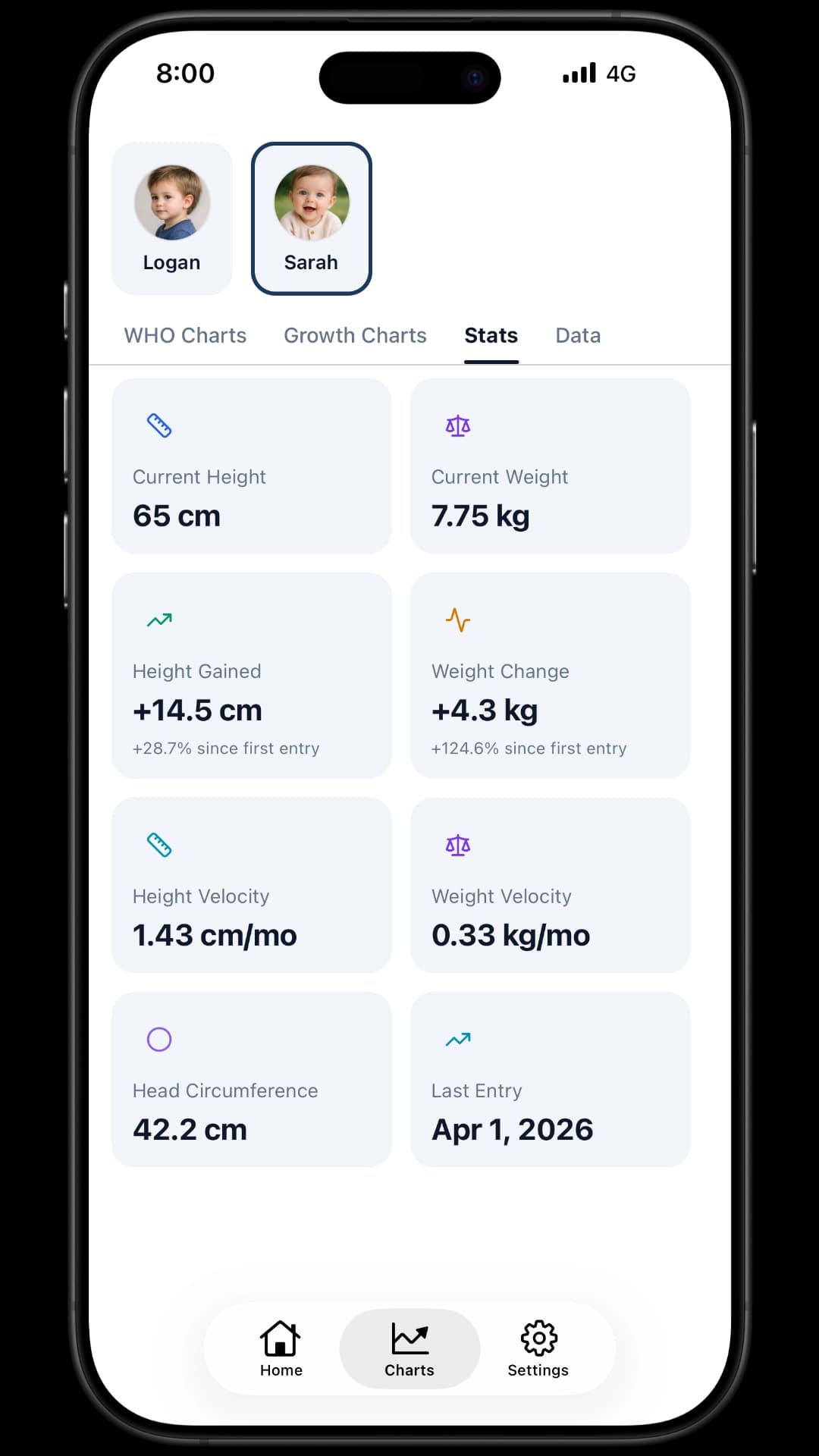
See how fast your child is growing — not just where they stand. Weight and height velocity charts reveal slowdowns or acceleration before the next visit.
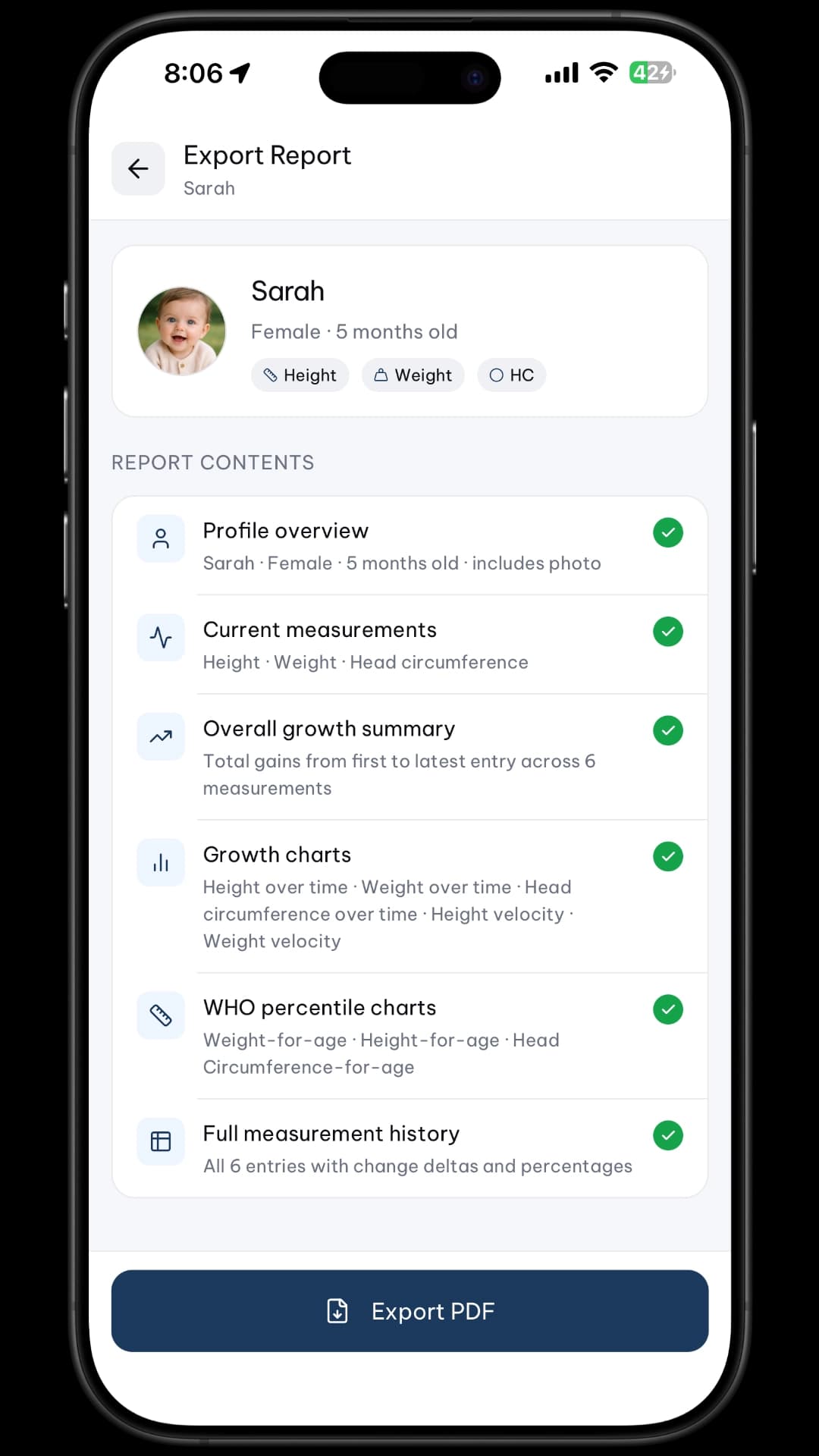
One tap generates a professional PDF: full growth history, percentile charts, BMI trends, and velocity summary. Share via AirDrop, email, or print.
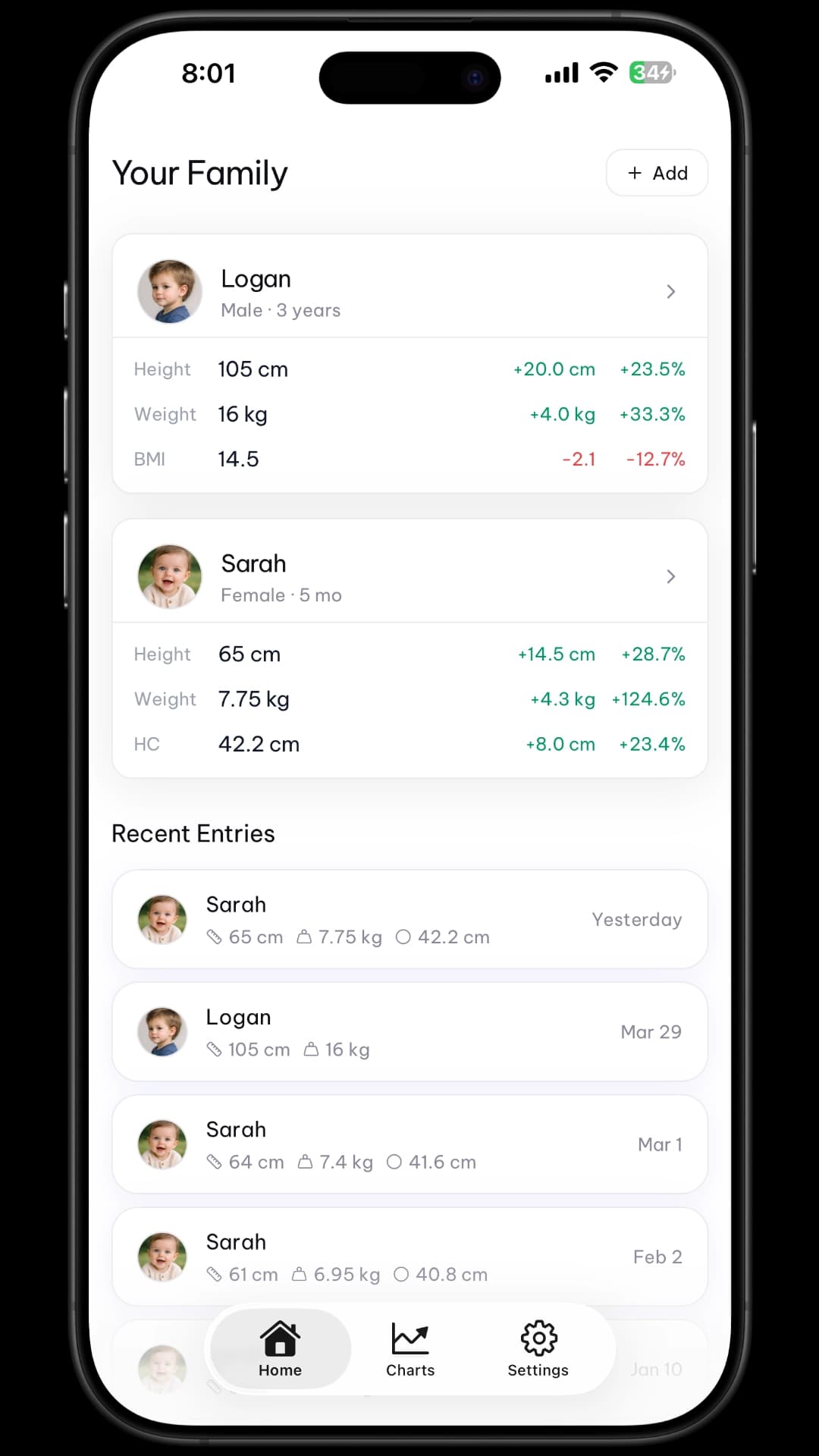
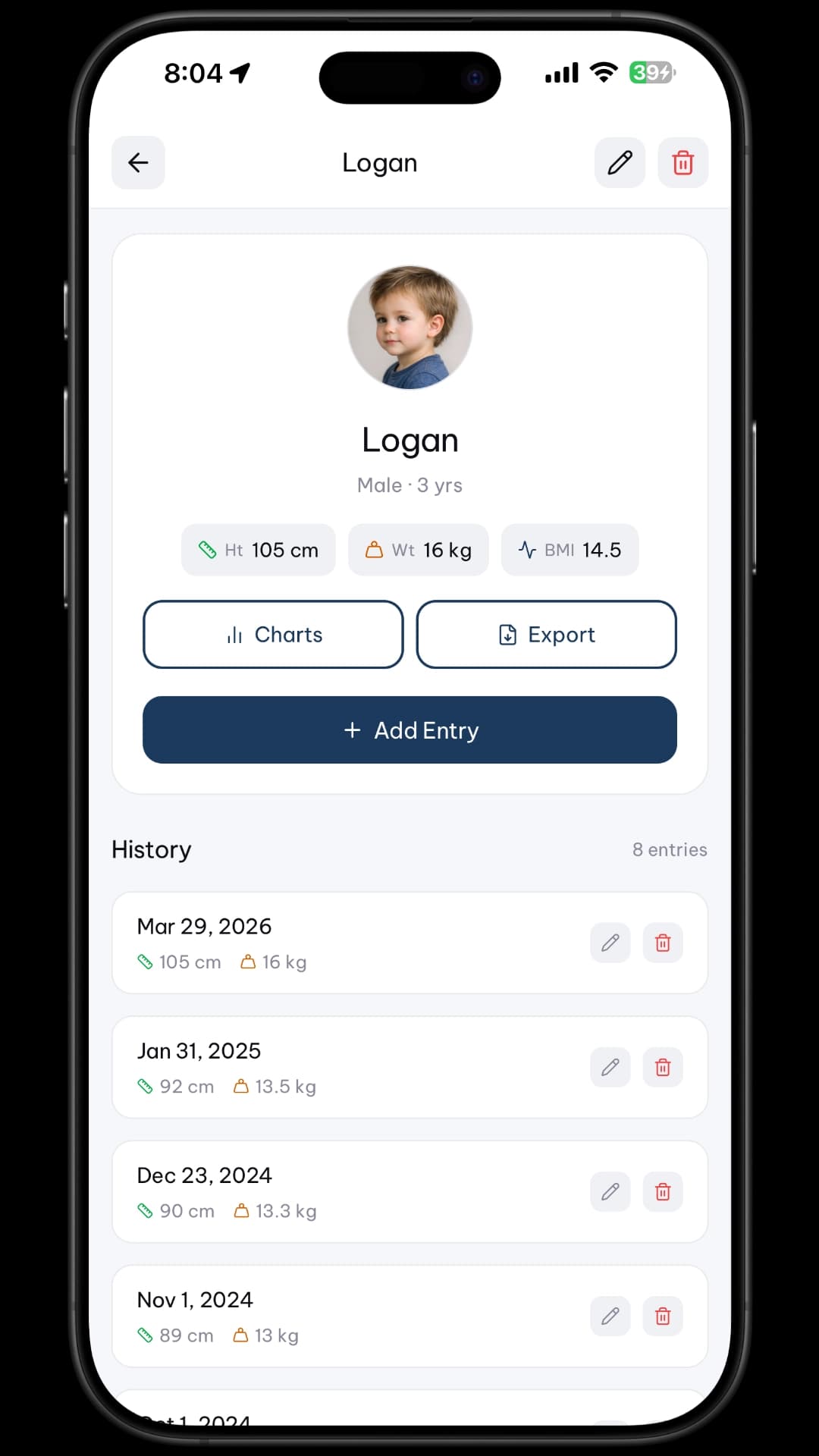
Track your whole family. Each child and adult gets their own profile, photo, birth date, and independent measurement history. Switch instantly.
For children aged 2+, GrowthKit calculates age- and sex-adjusted BMI percentile using CDC standards — with colour-coded category indicators.
No account. No cloud. No ads. Your child's data never leaves your iPhone. It's stored in your app's private document directory — only you can see it.
See It In Action
Clean design that's easy to use at 2am, one-handed. Every screen designed for exhausted parents.
How It Works
Every number GrowthKit shows you is the same number your pediatrician's chart software would show.
Percentile Charts
GrowthKit plots every measurement against WHO Child Growth Standards — the same reference data your pediatrician uses — and tells you the exact percentile at that moment.
Stats & Velocity
Beyond a single measurement — GrowthKit shows the trends. Growth velocity charts reveal how fast your child is growing month over month, so you can spot patterns early.
PDF Export
One tap generates a professional PDF report your pediatrician can actually use — complete growth history, WHO charts, BMI trends, and velocity data, formatted for a medical context.
Get Started
No account. No setup. Open the app, add your child, and start logging.
Enter a name, birth date, sex, and optional photo. Toggle on the metrics you want to track: height, weight, head circumference, or all three. Takes 30 seconds.
Tap Add Entry. Enter height, weight, and/or head circumference. Date defaults to today — or pick any past date. Add an optional note like “After illness” or “Measured at clinic.”
Your measurement is instantly plotted on WHO percentile charts. Review velocity trends, check the stats dashboard, or export a doctor-ready PDF with one tap.
In a world where everything is in the cloud, GrowthKit is different. Your most personal data — your child's health — stays exactly where it belongs.
Open the app and start tracking. No sign-up, no email, no password. Your identity is none of our business.
Data lives in your iPhone's private document directory — on your device, under your control. Nothing is sent to any server, ever.
GrowthKit has one business model: the app itself. Your child's health data is not a product. It is not monetised. Full stop.
Parent Stories
From new parents anxious about early growth to seasoned parents managing multiple kids — GrowthKit has them covered.
“I showed GrowthKit's PDF to our pediatrician at the 12-month visit and she was genuinely impressed. She said the data was more organised than what most parents bring in. Such a simple app but it makes such a difference.”
Sarah K.
Mum of two, Sydney
“Our son was born slightly small and we were anxious about his growth between doctor visits. GrowthKit showed us exactly which percentile he was tracking — and that he was consistently at the 15th, growing steadily. That consistency is everything.”
James & Priya T.
New parents, London
“I've tried three other growth apps and none of them calculated percentiles correctly. GrowthKit's numbers match exactly what our clinic shows. And having all three kids in one place with separate profiles is a game changer.”
Maria C.
Mother of three, Toronto
FAQ
Everything you need to know before you download.

Free to download. No account needed. Your child's complete growth story — in your pocket.